Design buildings. By playing.
Click to place walls, slabs and glass. Walk through what you built. Plans, sections and photoreal renders come out of the same file.
How it works
Three steps.
01
Build
Click to place walls, slabs and glass. Corners snap together automatically.
02
Walk
Move through your building in first person with WASD. The floor plan updates as you build.
03
Render
Click once to get a photoreal render from the same camera angle.
Sketch to photoreal
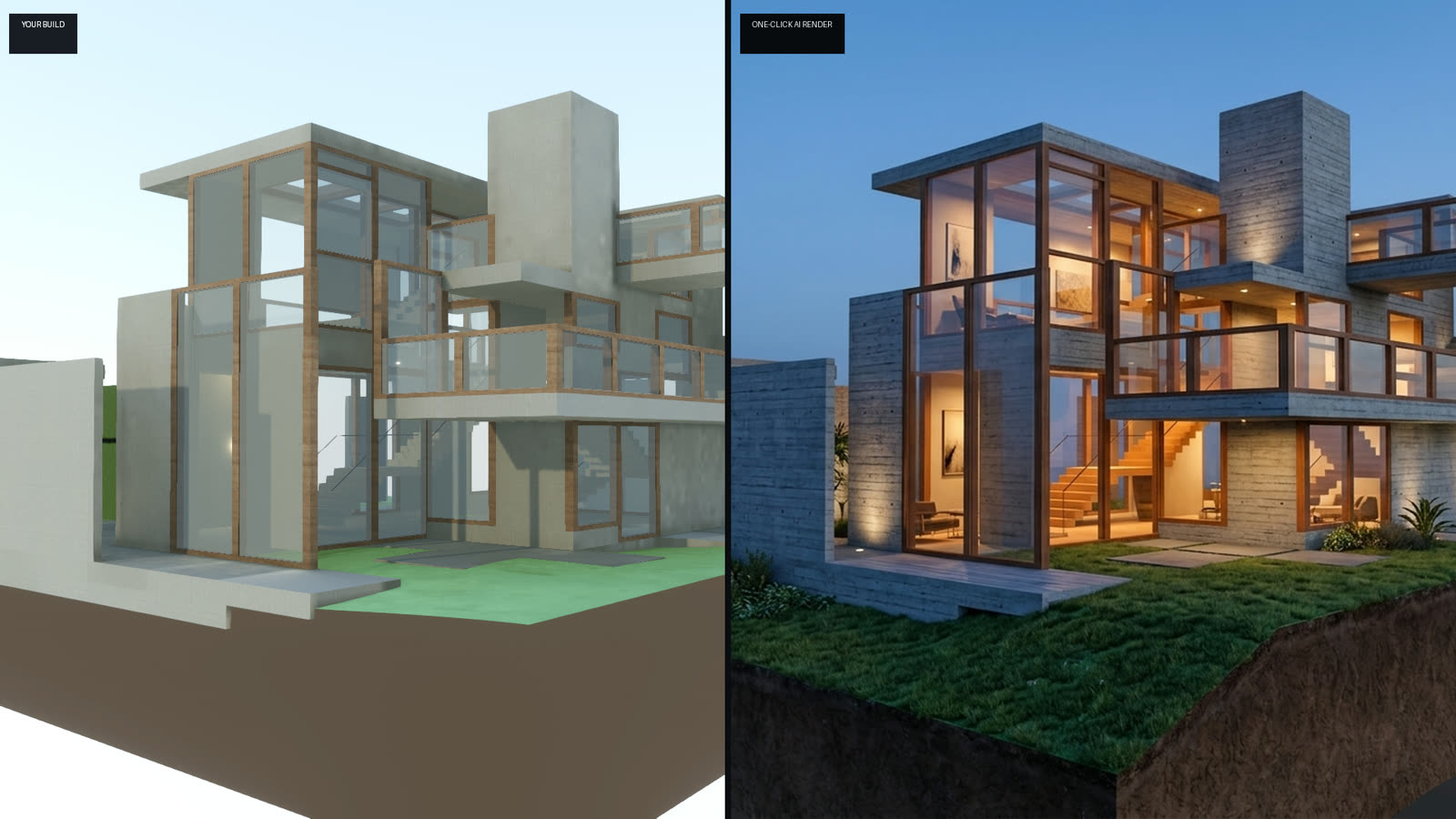
Your model, rendered.
One click turns your model into a photoreal image. Nothing to set up.
Features
What you can do with Voxitect.
New builds, new features
One email per release. No marketing, no digests. Unsubscribe with one click.